
Admin Menu in Frontend v1.2.0
Shows the WordPress admin menu on the public pages of your site, so every admin screen is one click away while you view the site.
Tags / toolbar
121 WordPress plugins tagged “toolbar”. Every result links to a crawlable PlugIndex profile.
Shows the WordPress admin menu on the public pages of your site, so every admin screen is one click away while you view the site.
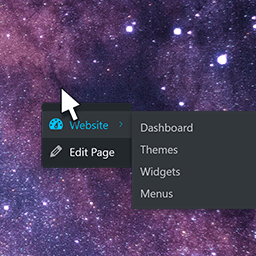
The default WP Admin Toolbar (frontend) is moved to a right click menu (context menu).

Add shortcut links to the admin toolbar to the index pages listing all content types.
A toolbar for WordPress front-end.

Accessibility toolbar with 11 tools and 7 automatic fixes. WCAG 2.2 oriented, 100% free, no limitations.
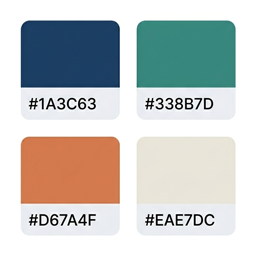
Personal color palette library — save color groups and access them from the admin toolbar or the dedicated admin page.

iOS Style Notification Badges for WordPress

When using WordPress multisite, the "My Sites" menu item will be added to the admin bar. Out of the box, this menu has a few limitations:

Remove the Toolbar (a.k.a Admin Bar) completely from both front and back end. Wordpress 3.3+ compatible.

Display a yellow notice box when you're working on localhost

A small utility that allows for faster navigation in the Give WordPress plugin from the admin bar.

Adds a toggle button to admin bar in the front-end to hide and show the admin bar when required.

Replace the WordPress toolbar with configurable hot corners.

This is a Mac OSX Menubar like WordPres adminbar/toolbar theme, designed for Mac and WordPress lovers.

Adds the iconcy.com toolbar to your website.

Extends the Gutenberg block editor toolbar with custom inline format buttons, with smart nesting validation based on HTML spec rules.

Friendly debug bar for developer, debug variables helpers and pretty error handler interface(powered by Whoops).

A plugin to toggle the WordPress admin bar and reclaim its space when hidden. Only visible to Administrators.

Limecall is a callback widget that enable your customers to speak to you instantly within few seconds and help you increase your web conversions.

This plugin makes the block editor toolbar less noticeable and improve block editor UX. You can control Scale, Opacity, Vertical Position of the block …

Require PHP 5.3
Shows the "My Sites" menu in three colums and sorts the sites alphabetically.

This is a toolbar placed on the footer of your blog and it will show your custom notifications on it.

A small utility that allows for faster navigation to create and edit Pods, manage components, edit settings, and even clear the cache!