
Show Current Template v0.5.4
A WordPress plugin which shows the current template file name, the current theme name and included template files' name in the tool bar.
Tags / toolbar
121 WordPress plugins tagged “toolbar”. Every result links to a crawlable PlugIndex profile.
A WordPress plugin which shows the current template file name, the current theme name and included template files' name in the tool bar.

What The File is the best tool to find out what template parts are used to display the page you're currently viewing!

Hide the WordPress admin bar by user role, block wp-admin access, redirect after login, and tidy the admin menu and notices for each role.

Hides the WordPress toolbar (admin bar) for all non-admin users. Simple plugin with no settings to configure.

Adds quick links in the WordPress admin bar for users of Bricks theme.

Simply and easy-to-use the customize for Admin and Frontend. A lot of custom filters and actions, and included the developer tools.

Show the name of the php file of your theme used to display the current page.

Disable admin bar and control users access to WordPress dashboard.

Take full control of your WordPress admin bar: hide items, reorder menus, and design a cleaner toolbar for every user.
This plugin adds an auto-hide feature to the WordPress Admin Bar or Toolbar.
Stick the WordPress admin bar to the bottom of the screen. Hide it with SHIFT + Down Arrow keyboard shortcut.

Control who sees the WP Toolbar when viewing your site.
Remove admin bar logo wp from the admin-bar.

Adds useful links in the Toolbar for directly start editing Pages and Templates when using Oxygen.

Seamlessly adds 3 new menu locations to the admin toolbar.
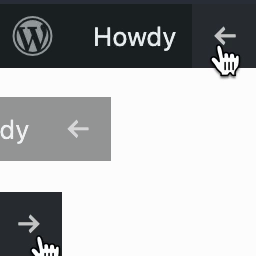
Easily hide or show the front-end WordPress Admin Toolbar with a click of a button.

This plugin allows you add your own buttons to the post editor's TEXT mode toolbar.
Quickly toggle plugin activation status from the toolbar.

Remove Admin Toolbar helps you hide the admin toolbar completely or partially within seconds.
Removes/hides the admin toolbar from the front end of the site when activated

This is a simple plugin for adding custom navigation menus to your WordPress Adminbar.
Easy Accessibility Plugin adds a toolbar to your website making it more accessible.

Display the 'Search Engines Discouraged' notification in the WordPress Toolbar if the blog_public option has been checked.

Hide/show the WordPress toolbar in the front-end.