
Simple Footnotes Editor Button v0.2.2
Add a button to the TinyMCE editor toolbar to make it easy for users to add footnotes with the proper syntax for the Simple Footnotes plugin.
Tags / tinymce
180 WordPress plugins tagged “tinyMCE”. Every result links to a crawlable PlugIndex profile.
Add a button to the TinyMCE editor toolbar to make it easy for users to add footnotes with the proper syntax for the Simple Footnotes plugin.

Lorem Ipsum (Demo Text or Dummy Text) generator for your WordPress editor.

Use a mceToolbar continuously while writing the content (as our text grows inside the editor box) for the page or post.

Upgrade WordPress to TinyMCE 7 with a modern editing experience, table support, and seamless ACF integration.

This plugin provides buttons to enter backslash. Even when using Japanese or Korean font, backslash doesn't appear as Yen or Won sign.

Add button for code element to the editor.

"TinyMCE remove-base-64-image" immediately removes images dropped into the TinyMCE editor with Firefox and alerts the user with the reason.

Enables inserting of almost all widgets output into the visual editor, as static HTML blocks, witch can be changed once inserted into editor.

This plugin allows you to use a simple HTML tag that dynamically generates href and src tags. Easy to use, and extremely helpful.

Extend TinyMCE & Gutenberg with custom font weights (100–900 + keywords) and text transform options. Works standalone.

Simplifies TinyMCE to help creators focus on writing, while maintaining clean HTML and web accessibility.

Enables the display of custom-field variables in the WordPress post editor via a TinyMCE button. Works well with custom post types as well as default …

Adds safe background color controls for blocks in the WordPress Classic Editor.

Additional tools for the WordPress Classic Editor.

Disable Gutenberg block editor & restore classic TinyMCE legacy editor per post type (Posts, Pages) with zero bloat and 100% speed.

Extend the range selection of TinyMCE.

French Accents adds the majuscule accents on the text editor. Some majuscule characters such as É, È, À, Ç, œ, or Ù cannot be typed on a french keyboa …

This plugin provides a button for WP-Google Syntax Highlighter in TinyMCE editor.

Adds customization for Ajax commenting and allows for enabling of custom WYSIWYG editor.

Disables the block editor (Gutenberg) in WordPress and enables the classic editor.
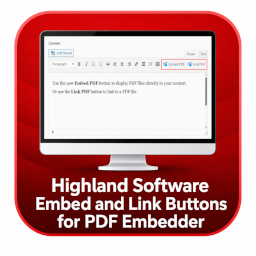
Adds Gutenberg and TinyMCE controls to insert PDFs as embedded viewers or direct links. Link-only output works even when PDF Embedder is not active.

You can get a New Button On your TinyMCE Editor to add Your Update Signature in your post or page.

Custom TinyMCE toolbar buttons and Formats for the Classic Editor — wrap, insert templates, add classes, or open a code snippet dialog.

The best editor for apply themes and style set