
Abhinavdev Environment Badge v1.1.0
Displays a customizable badge in the WordPress Admin Bar showing your environment (Local, Staging, Production) to avoid errors on live sites.
Tags / staging
106 WordPress plugins tagged “staging”. Every result links to a crawlable PlugIndex profile.
Displays a customizable badge in the WordPress Admin Bar showing your environment (Local, Staging, Production) to avoid errors on live sites.

Restrict site access with a simple URL code parameter and grant access using private link sharing. Ideal for sites in development or maintenance.

Back up, clone and restore large WordPress sites in small, resumable steps, even on shared hosting with little free disk space.

Prepare supported site changes privately in a workspace, preview them, resolve conflicts and publish when ready.

Hold outbound email before it leaves this site, and keep a log of what was stopped.

Stage individual published posts to edit them in the background, and push your updates to the live post with one click.

Use a remote WordPress uploads directory without copying your entire media library. Optionally cache media files locally as visitors browse your site.

Twenty launch checks in one report: noindex, a blocking robots.txt, a staging address, plain http, debug output and leftover content.

Move selected posts, pages, terms and media between WordPress sites without overwriting live data. IDs and links are remapped automatically.

Seamless server-to-server WordPress migration — no downloads, no uploads, no middleman. Install on both sites and migrate with one key.
Push single pages and posts, with media and WPML translations, from staging to live or back. Sites must share a theme version. Review and roll back.

Backup, restore, migrate and clone WordPress sites with local backups, scheduled backups and optional Google Drive storage.

Automatically switches your favicon (site icon) between production and development environments to prevent confusion.

Proxy missing media to a production origin so staging and local environments don't need a full copy of the uploads directory.

Create protected staging sites, migrate dev/local backups into staging, manage backups, and publish reviewed changes.

Display a colored notice in the WordPress admin bar to indicate which environment (Live, Staging, Local) your site is running on.

Gives you the option to define which plugins must be active for a particular environment only.
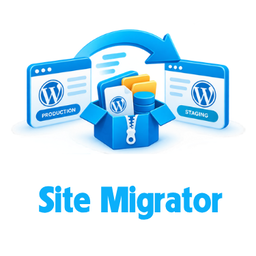
Migrate WordPress from production to staging with no shell access. Creates a package (files + database + installer) that runs anywhere.

Publish content from a staging site to a live site one item at a time - with its media, taxonomies and references intact. No whole-database migration.

Restrict your site from the public while it's in development, staging or maintenance mode.

Granular per-table sync between two paired WordPress sites. Copy individual tables (posts, options, terms) between staging and live.

Blocks outgoing emails in development environments and logs them for review.

Give the user a visual reminder that he or she is on a wp-engine staging environment.

A persistent, draggable badge that alerts users they're on a staging site. Inspired by Kabuki mie poses that demand attention.