Save with keyboard v3.0.2
Save everything in the most natural way by pressing Ctrl+S (or Cmd+S on Mac).
Tags / shortcut
23 WordPress plugins tagged “shortcut”. Every result links to a crawlable PlugIndex profile.
Save everything in the most natural way by pressing Ctrl+S (or Cmd+S on Mac).
Replace text with other text. Handy for creating shortcuts to common, lengthy, or frequently changing text/HTML, or for smilies.
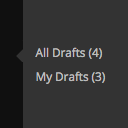
Adds links to 'All Drafts' and 'My Drafts' under Posts, Pages, and other custom post type sections in the admin menu.

Receiving ip addresses and browser identifiers of visitors on the login page and on any page of the site.

Adds the Pre and Code buttons to the TinyMCE toolbar with customizable shortcuts

Bring the power of text editor command palette to WordPress Admin.

Make TinyURL-like URLs (you.com/33ks8s) that redirect to pages inside / outside your blog. Can also create human-readable aliases (you.com/facebook).

Opes Favicon allows you to add and manage favicons & icons on your WordPress website.

Adds the Pre button to the TinyMCE toolbar and the shortcut Ctrl+0 to format text with <pre> tag
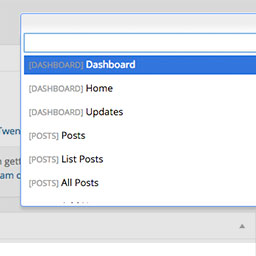
Dashy gives you a search field to get to admin pages quicker.

A simple and accessible WordPress plugin that allows users to quickly navigate through your site's menus using the F2 keyboard shortcut.

Provides you a shortcut from blog to admin interface without putting any disturbing link in your page.

Collection of Additional Keyboard Shortcuts for Post Editor page.

Adds a link to the Plugins management page to the site's toolbar admin menu.

Plugin allow you to create a page that will display registration form for your user registers.

This plugins allows you to publish your posts/pages and update your files in the admin panel by pressing CTRL+S.

Get an alternate TinyURL link for your article or post permalink.

Add an accessibility shortcut to tour Wordpress website / Ajoute le raccourci clavier MAJ+A à votre site Wordpress

WP Horoscope - Cung hoàng đạo cho wordpress giúp hiển thị thông tin trong ngày của các cung hoàng đạo.

Navigate your WordPress site via keyboard.

Jump around wp-admin in a blitz!

Apple-style keyboard shortcut markup. Shortcode [btkbd] for ⌘⇧P-style output.

Keyboard shortcut -- CTRL + S or COMMAND + S to save