
Compare hosting performance v1.2
Тест производительности вашего сервера/хостинга
Tags / mysql
63 WordPress plugins tagged “mysql”. Every result links to a crawlable PlugIndex profile.
Тест производительности вашего сервера/хостинга

Fix for pagination issues under MySQL v8.0 and later where SQL_CALC_FOUND_ROWS and FOUND_ROWS are no longer supported.

BETA: Extend WordPress with MySQL database read replica support for greater speed and scalability

A simple add-on for the Debug Bar plugin to replace the button text with the database query count and time.

! ! ! S T I L L B E T A ! ! !

Exports your standalone database SQL for import into a WP Multisite installation.

Keep your database safe with scheduled backups. Multiple option for off-site backups also available.

HyperDB is an advanced database class that supports replication, failover, load balancing, and partitioning.

Jot allows non-technical WordPress administrators to modify MySQL

A simple plugin to export and backup your database, on an ongoing basis

Displays table information of your WordPress Database.

Edit and manage your MySQL tables in the easiest and quickest way.

Displays a list of each page's SQL queries and the functions calling them that can be searched and sorted by time, type, etc.

MySQL Report will give you a mysqlreport in Wordpress admin panel

Mit MySQList kann man ganz einfach Listen mit Ablaufdatum und Verlinkungen erstellen.

Display the currently PHP-MYSQL version at the end of "At a Glance" admin dashboard widget

Migrate WordPress databases using WP_HOME and WP_SITEURL constants.

The perfect tool for developers to see a quick snapshot of the WordPress system.

Have a bunch of podcasts stored on your server and aren't excited about creating each post manually? This can help.

Display WordPress, PHP, Web Server, MySQL and Theme versions in wp-admin footer.
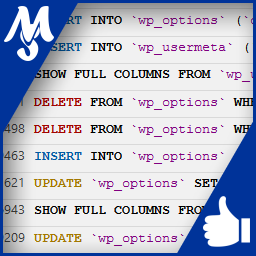
Record and view all SQL queries that your WordPress is requesting. Browse formated and highlighted syntax queries for debug and speedup your site.

Log WordPress MySQL queries in csv file (and log file). Useful when you need to improve the performance or debug something.

Creates a page in the dashboard with a list of the spatial functions your database supports so you can do GIS with MySQL or MariaDB in WordPress.

WPPG is a special plugin enabling WordPress to be used with a PostgreSQL database. Redevelop from PG4WP plugin http://wordpress.