
Display Environment Type v1.6.0
Displays WordPress 5.5's environment type setting in the admin bar and the "At a Glance" dashboard widget.
Tags / environment
27 WordPress plugins tagged “environment”. Every result links to a crawlable PlugIndex profile.
Displays WordPress 5.5's environment type setting in the admin bar and the "At a Glance" dashboard widget.

Use custom admin bar colors and favicons to differentiate your environments (staging/prod)
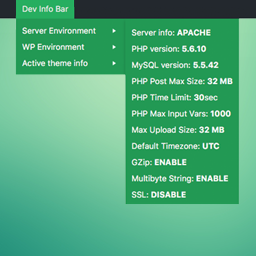
A simple WordPress extension which adds itself to the admin bar, providing system information such as PHP, MySQL version and details of the WordPress …
Display your environment and debug info in the toolbar.

A WordPress plugin to set WordPress options from a .env file.

Manage separate Development, Staging, and Production environments directly from the Wordpress Admin screen.
Displays a color-coded DEV, STAGING, or LIVE indicator in the admin bar to prevent accidental changes on production sites.

Transform your website into a carbon neutral space.

Display a colored bar to help distinguish between different environments.

Select and save your current environment.

View WordPress, PHP, plugin, and theme versions in Markdown or CSV for maintenance checks.

Mit dem MÜLLweg! DE Plugin kann der MÜLLweg! DE Müll-Mängelmelder direkt in die eigene Homepage eingebunden werden.

Integrates a standby engine to reduce the energy required to view the website when the visitors are inactive, to make your blog a Green Website.

Quickly switch between environments (live, test, dev) from the admin bar.

Displays a customizable badge in the WordPress Admin Bar showing your environment (Local, Staging, Production) to avoid errors on live sites.

Whoops error handling, no password logins, template hints, no indexing, flush rewrites, everything a developer needs for their local development envir …

Displays an environment indicator in the admin bar.

Display a colored notice in the WordPress admin bar to indicate which environment (Live, Staging, Local) your site is running on.

Gives you the option to define which plugins must be active for a particular environment only.

Easily navigate between different environments of a same site.

Your WordPress admin command nest — environment stats, content metrics, security checks, shortcuts, and private notes. No file manager.

NineCarrots embeds the local business mapping system in to your WordPress system
Store environment-specific values (GTM container ID, GA4 measurement ID, etc.) per environment and switch them automatically.

Know at a glance which site you are editing. The admin bar changes colour and shows a LIVE, STAGING, DEV or LOCAL badge.