
What Template File Am I Viewing? v1.2
This is a debugging plugin that displays the current php file that is loading on the front end of the website.
Tags / debug
293 WordPress plugins tagged “debug”. Every result links to a crawlable PlugIndex profile.
This is a debugging plugin that displays the current php file that is loading on the front end of the website.

WP Mail Debugger captures and displays all emails sent through wp_mail() for debugging and troubleshooting.

Extends the Query Monitor and Debug Bar plugins for ElasticPress queries.

Debug Bar Rewrite Rules adds a new panel to Debug Bar that displays information about WordPress Rewrites Rules (if used).

Provides a quick and easy method of adding all core widgets to a sidebar for testing purposes.

Adds a Panel to the Debug Bar for Timber information

An implementation of PHP Console as a WordPress plugin. Use Chrome Dev Tools to debug your WordPress installation!

Easily debug WordPress sites using Ray.

"Thank you page viewer for Woocommerce" shows a link to the thank you page from the order admin page.

See clearly and understand how WordPress rewrite rules work within a simple and clean interface

Adds some small development tools to the admin bar.

Log/Debug the PHP code in your Theme/Plugin with your Browser Console (no extension needed)

Logging vars and events for fast debug WordPress site.

A tool for experienced frontend performance engineers to take control over the scripts and styles enqueued on their site.

Displays server stats and WordPress system information for debugging purposes.

Inspect PHP variables on a central dashboard in wp-admin for convenient debugging.

The Advanced Cron Scheduler for WordPress plugin helps to easily replace or migrate Native WordPress Cron to the Action Scheduler Library.

Modify WP_DEBUG and other WordPress constants directly in the WordPress admin rather than manually editing them via wp-config.php!

[ ✅ 𝐒𝐄𝐂𝐔𝐑𝐄 𝐏𝐋𝐔𝐆𝐈𝐍𝐒 b𝓎 𝒫𝓊𝓋𝑜𝓍] You can easily enable WP_DEBUG using a toolbar button. READ DESCRIPTION!
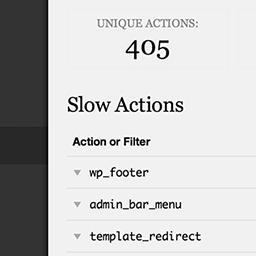
Easily find out which actions and filters are the slowest during a page load.

View and Delete the debug log from the Tools menu. Extremely light and simple.

Lots of debugging and testing tools for developers.

Simple and lightweight plugin to show all registered shortcodes under a "Registered Shortcodes" toolbar menu item.

Makes it possible to enable safe mode for WordPress. In safe mode, plugins will not be loaded and the default theme (if installed) will be activated.